
I have recently become a father to a little boy (again).
I am floating in my little bubble of happiness, and find (somehow) the time to write articles, despite the tight schedule, and a certain lack of sleep.
This lack of sweet sleep is precisely what leads me to write this article.
During the nights with our first child, my wife and I1 were exhausted by the complicated nights. Our child moves, he whimpers in his sleep, he threatens to wake up regularly, he needs to be fed every 3-4 hours, we were constantly watching him. Of course, this works for a while, but this constant vigilance could not last, we were becoming too tired.
Not having the resources to watch over him constantly, we set up an alarm every 4 hours. We could then take advantage of intermittent rest and feed him when necessary. It wasn’t perfect, our alarm wasn’t always synchronized with our son’s natural cycle. Sometimes we would wake up for nothing because he wasn’t ready to eat, only to be woken up by the child a few minutes later because he was hungry
In the end, nature is well designed. It took us a few nights to trust ourselves, and above all, to trust our son that he will simply alert us when something is wrong or when he is hungry.

We went from:
- Constant monitoring, to
- Recurring inspection, to
- Being automatically alerted in case of urgent and important need.
By now, I imagine you’ve understood that I’m not only talking about a baby, and that this analogy can also be applied to business.
Similar examples where significant and urgent action is required might be the following:
- Sensors have noticed that a fridge is broken down, the food must be quickly moved to another fridge before it spoils.
- The sales of a store are dropping, a marketing campaign must be urgently launched.
- The stock of a component is low while orders are booming, it is imperative to immediately restock.
These are just a few examples, I am sure there are plenty of others for each organization.
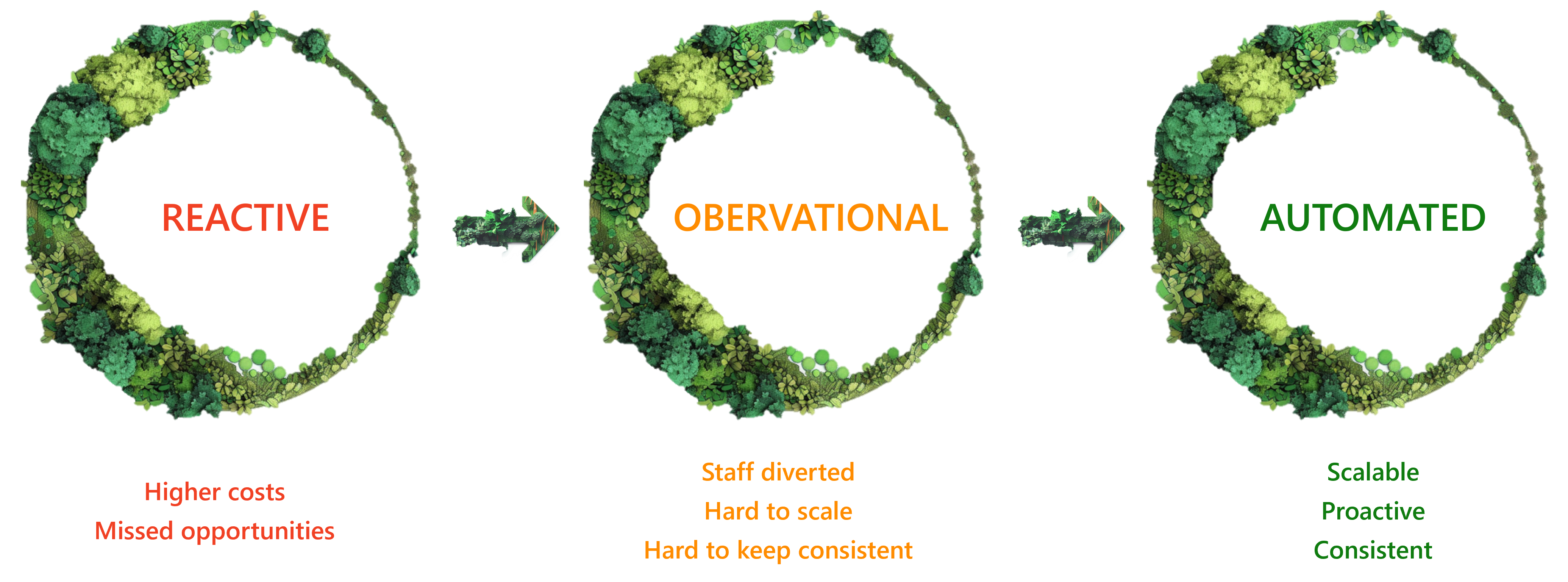
It is not conceivable to simply monitor from time to time at the risk of reacting too late. It is also not possible to ask employees to constantly review reports, their time and expertise will surely be put to better use on other tasks on which they can focus.
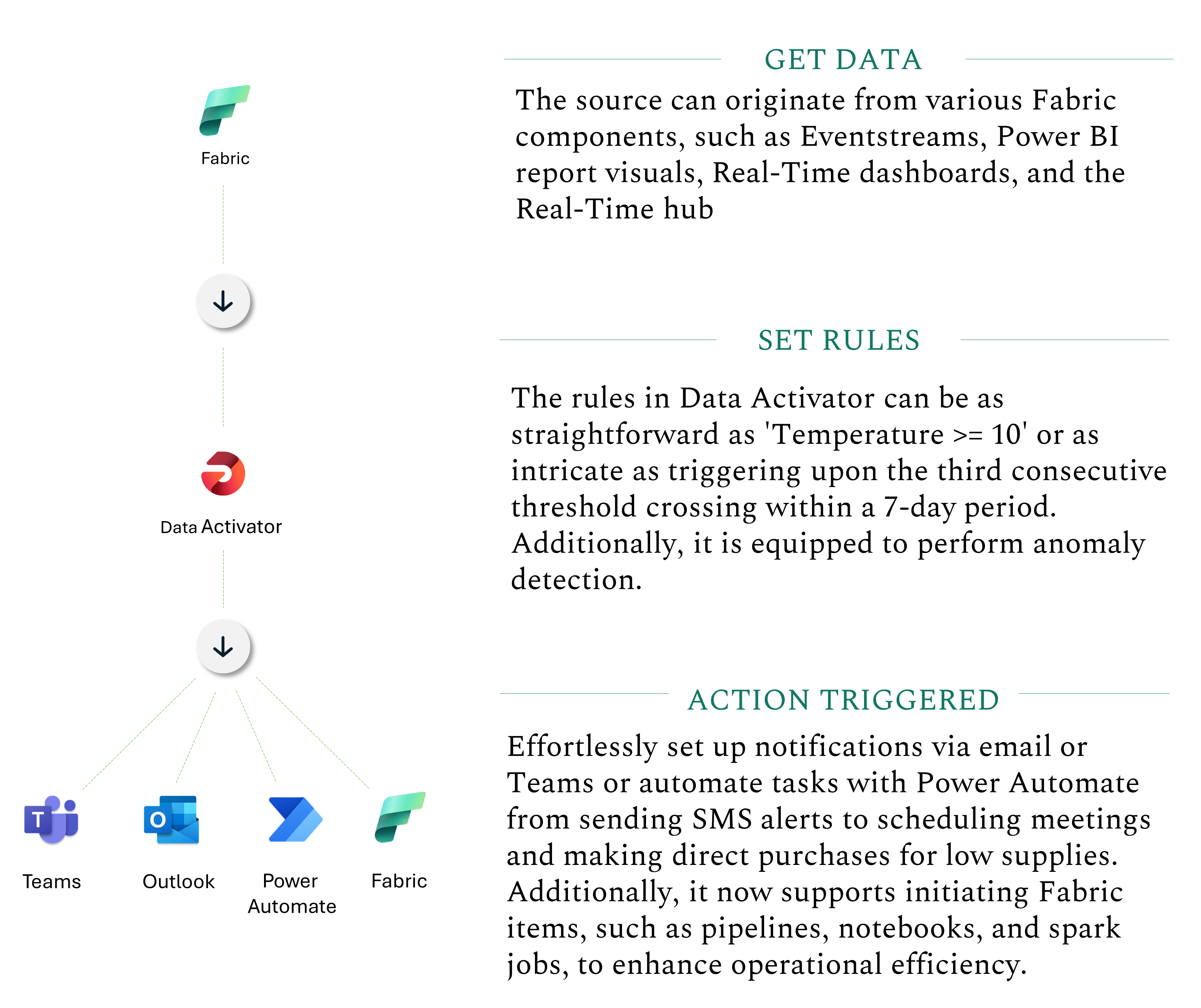
And that’s precisely the aim of Data Activator!
This tool is like a vigilant sentinel, ever-watchful for new data points that breach the thresholds we’ve set.
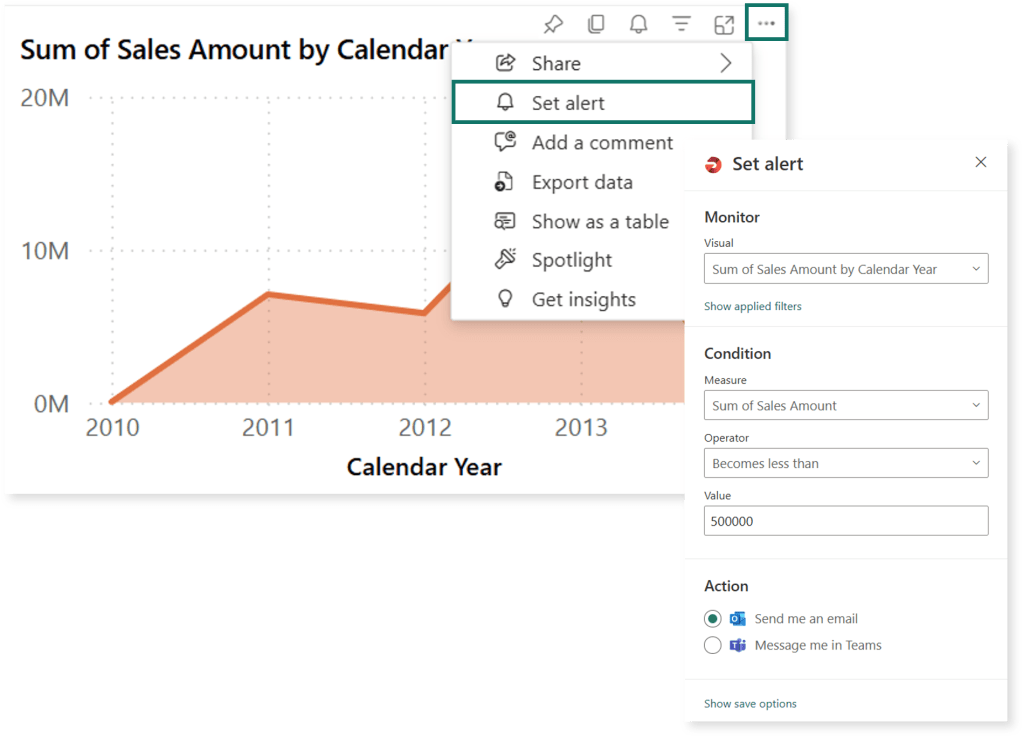
Testing from Power BI is straightforward. Just click on the “…” of a Power BI visual and select “Set alert”. From there, simply follow the wizard to create a new Data Activator reflex.
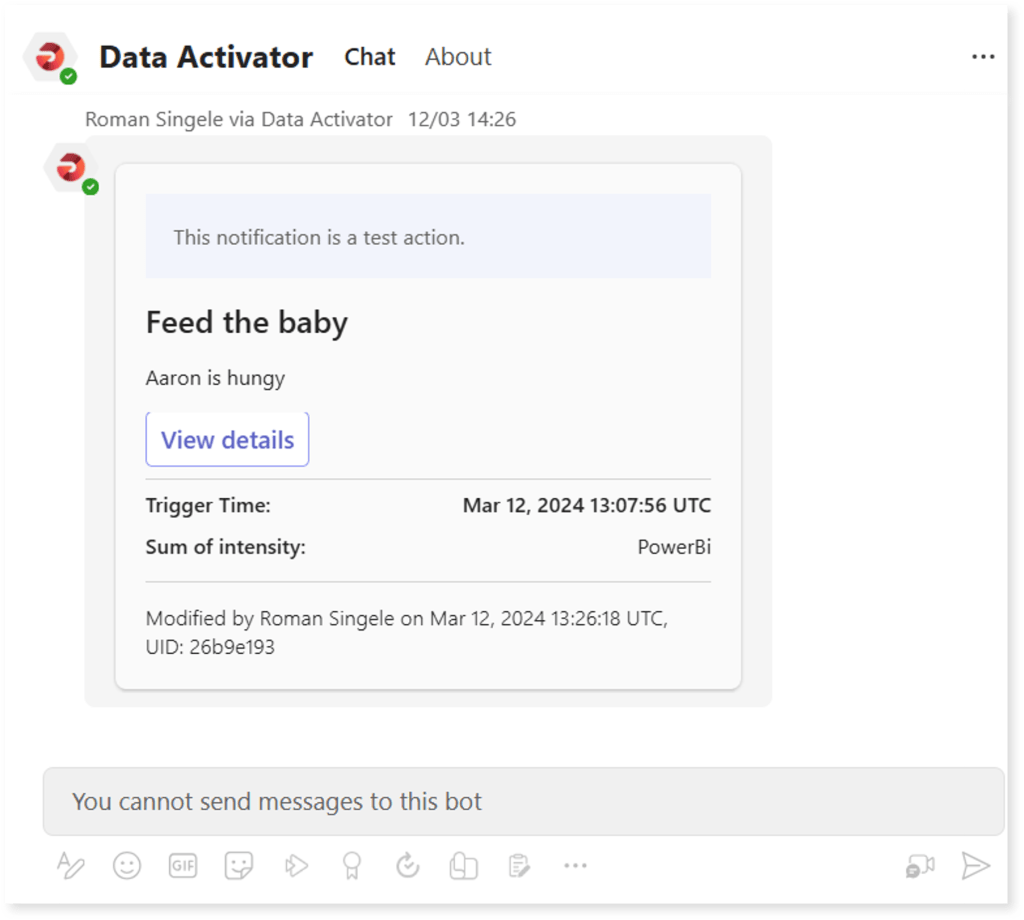
And thus, with the wisdom of the ancients, we ensure our young warrior is never in want of sustenance. For when the need arises, the digital runes of Teams shall quietly alert us to his call.
- In the story of this blog, I may take a role of a night-time hero, but it’s just that – a role. The true superhero of our family’s story, day and night, is my wife. Her endless sacrifice is the real magic behind where we stand today ↩︎
 Asgaard Analytics
Leave a comment